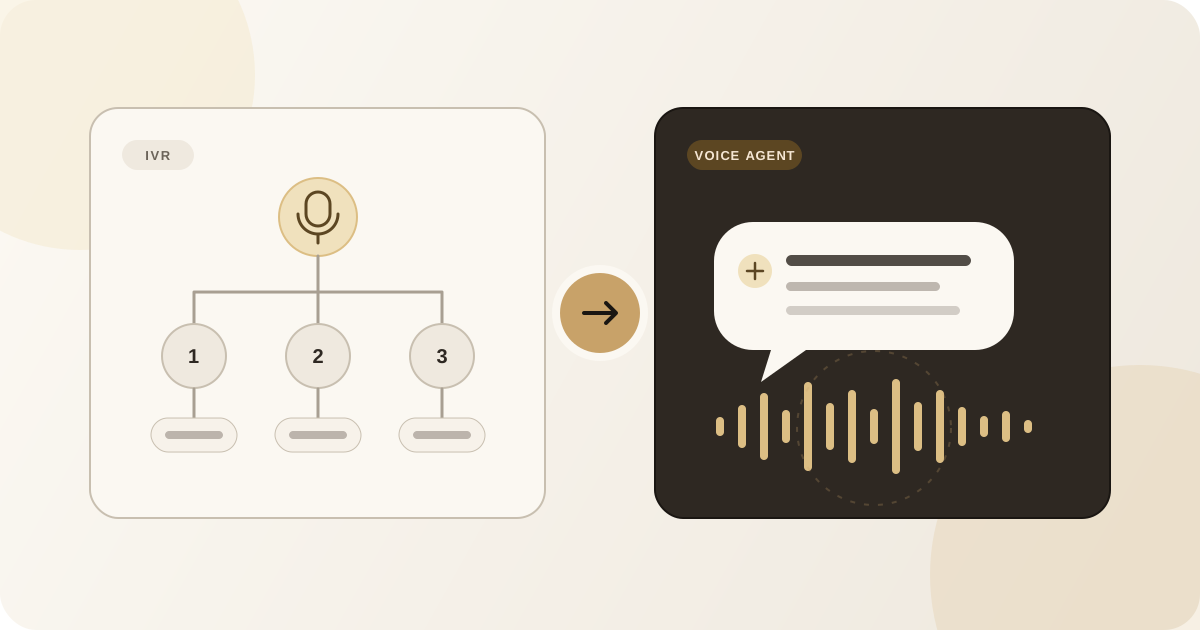
“Press one for sales. Press two for support. Press three to hear these options again.”
Most callers recognise an interactive voice response system, or IVR, as soon as they hear it. IVR has helped businesses route calls for decades, and for the right task it remains simple and dependable. But it also expects the caller to fit their request into a predefined menu.
A voice agent approaches the conversation differently. Instead of navigating a list of options, the caller explains what they need in their own words. The system interprets the request, responds, and may complete a task or involve a person.
Both can answer and route calls automatically. The difference is in how they understand the caller, how much they can do during the call, and how the experience feels.
The quick answer
An IVR follows a designed decision tree. Callers select from fixed options using the keypad or short spoken responses. It works well when requests fall into a small number of predictable categories.
A voice agent uses speech recognition and language-processing technology to hold a more flexible conversation. A caller can describe an intent, answer follow-up questions, change direction, and potentially complete a task without navigating a numbered menu.
That does not automatically make a voice agent the right choice for every phone line. A short IVR can be faster for a clear selection, while a poorly configured voice agent can create more frustration than a well-designed menu. The decision should be based on the calls the business actually receives.
What is an IVR?
Interactive voice response is a telephone system that presents choices and performs an action based on the caller’s selection. Traditional systems use keypad input, while some also recognise a limited set of spoken words or phrases.
A basic flow might sound like this:
- Press one for new appointments.
- Press two to change an appointment.
- Press three for billing.
- Press zero to speak with the team.
Each selection sends the caller to another menu, a recorded message, a queue, or a person. The business designs these paths in advance.
Where IVR works well
IVR is useful when:
- there are only a few clear destinations;
- the caller needs to enter a known value, such as an account number;
- the required action is simple and predictable;
- keypad input is preferable for privacy or accuracy; or
- the business needs basic routing without an extended conversation.
For example, “Press one for the Mumbai office or two for the Pune office” may be faster than asking an open-ended question.
Where IVR creates friction
A menu becomes difficult when callers do not know which option matches their need. They may listen to a long list, choose the closest category, and then repeat the entire request after being transferred.
Nested menus create additional effort. If the right option is buried several levels deep—or not present at all—the caller may repeatedly press zero, go back, or abandon the call.
The system is following its design correctly, but the design cannot account for every way a customer might describe a problem.
What is a voice agent?
A voice agent is software designed to understand and respond to natural spoken language. Rather than beginning with a numbered menu, it might ask:
“How can I help you today?”
A caller could reply, “I need to move tomorrow’s appointment to Friday afternoon.” The agent can identify that the caller wants to reschedule, gather the details it needs, and follow the rules configured for that task.
Depending on its implementation and integrations, a voice agent may be able to:
- answer approved questions about the business;
- gather contact and enquiry details;
- offer available appointment times;
- send a follow-up or confirmation;
- identify a routing or escalation condition; and
- provide the team with a summary of the conversation.
The word “agent” does not mean the system should have unlimited authority. Reliable voice experiences are built around explicit information, permissions, and boundaries. When a request is uncertain, sensitive, or outside scope, the agent should ask for clarification or involve a person.
Voice recognition is not the entire experience
A modern voice agent combines several parts: converting speech to text, interpreting meaning, deciding what action is permitted, producing a response, and turning that response back into speech. It may also connect to calendars, customer systems, or messaging tools.
Each part affects the result. A natural voice cannot compensate for inaccurate business information, weak routing rules, or an unreliable integration.
The key differences
1. Menu selection versus natural conversation
IVR asks callers to choose from options the business has already defined. Voice agents allow callers to begin with their own words.
This matters when the caller’s request contains context. “I have an appointment” could mean confirming, cancelling, rescheduling, asking for directions, or explaining that the caller will be late. A fixed menu needs separate paths; a voice agent can ask an appropriate follow-up question.
2. Fixed paths versus flexible intent
An IVR decision tree is deterministic: a particular selection leads to a particular next step. That predictability can be valuable, but changes generally require the flow to be redesigned or re-recorded.
A voice agent works with intents, information, and rules. It can often recognise different phrases that express the same need. However, flexibility also requires stronger testing because callers may say things the designers did not anticipate.
3. Routing versus completing a task
Many IVR systems are primarily designed to identify a destination and transfer the call. They may also provide recorded information or collect keypad input.
A voice agent can potentially continue the conversation and complete an approved workflow. Instead of only routing an appointment call, it may gather details and offer available times when connected to the appropriate calendar.
Whether it can complete a particular task depends on the actual product configuration and integration. Businesses should verify this through realistic testing rather than assume that every advertised integration supports every workflow.
4. Repetition versus context
With a typical IVR, the person who eventually receives the call may know which menu option was selected but not the full reason for the call. The customer often repeats the request.
A voice agent can collect context before escalation and make it available to the team, subject to the system’s capabilities and privacy settings. A useful handoff explains what is happening and preserves the information already gathered.
5. Keypad input versus spoken details
Keypad input is effective for short, structured values. It can also be useful when a caller does not want to say sensitive numbers aloud.
Conversation is better suited to requests that are difficult to express as a menu choice. Names, addresses, and specialised terms can still be challenging for speech systems, so the agent should confirm important information rather than silently assume it heard correctly.
6. Maintenance of flows versus maintenance of knowledge and rules
An IVR needs its recordings, menu options, departments, and routing destinations kept current.
A voice agent needs accurate business knowledge, clear permissions, escalation rules, integration health, and conversation testing. It may be easier to update an answer than to record a new menu, but it is not maintenance-free.
In both cases, outdated opening hours or an incorrect destination will create a poor experience.
7. Predictability versus adaptability
IVR behaviour is highly predictable because callers can only take designed paths. Voice agents are more adaptable, but that creates a larger range of possible conversations.
A business adopting a voice agent should define what happens when:
- the caller changes topic;
- background noise affects recognition;
- a name or number is uncertain;
- requested information is unavailable;
- an integration does not respond;
- the caller asks for a person; or
- the situation may be urgent.
Adaptability should never mean improvising beyond approved information.
8. Caller accessibility and preference
Neither approach is universally easier for every caller. Some people prefer concise keypad choices. Others find menus hard to remember or navigate. Speech recognition may be affected by hearing, speech, connection quality, accent, language, or background noise.
A thoughtful phone experience provides alternatives. That may mean allowing keypad input, repeating information, slowing down, transferring to a person, or arranging a callback.
Which one should you choose?
Choose IVR when the choices are genuinely simple
IVR may be enough when the purpose is to route callers among a few stable destinations. It can be cost-effective, predictable, and easy for callers who already understand the options.
Good examples include selecting a location, choosing between two departments, or entering a short reference number before joining a queue.
The menu should remain brief. Put the most common options first, avoid deep layers, and always explain how to repeat or leave the menu.
Consider a voice agent when callers need to explain context
A voice agent is more suitable when the business receives varied enquiries, asks follow-up questions, schedules appointments, supports multiple languages, or wants to resolve routine calls without transferring every caller.
It may be especially useful when a small team cannot consistently answer during busy work, after hours, or across fluctuating demand.
A hybrid approach can use both
The choice does not have to be absolute. A phone journey can combine conversational assistance with simple keypad options.
For example, a voice agent could handle general requests while offering a keypad option for a known extension or private numeric input. An IVR could route one category of call to a voice agent designed for that workflow.
The best combination is the one that removes effort for the caller rather than exposing the complexity of the business’s systems.
What to test before deciding
A polished demonstration is not enough. Test both the normal path and the moments when the system should recover.
Use examples from real calls and check:
- Time to reach the right outcome. Count the steps and notice where the caller must wait, repeat, or guess.
- Requests that do not fit neatly. Try common questions that cross departments or need more context.
- Corrections and interruptions. Change a date, correct a name, or interrupt the prompt naturally.
- Human escalation. Ask for a person and test what happens when that person is unavailable.
- Language and local vocabulary. Use the languages, mixed-language phrases, names, and locations customers actually use.
- Noisy or weak connections. Test from realistic environments rather than only a quiet office.
- System failures. Confirm the fallback when a calendar, CRM, transfer destination, or other dependency is unavailable.
- Privacy and permissions. Understand what is recorded, stored, shared, and available to the team.
- Ongoing maintenance. Identify who will keep answers, routing rules, and destinations current.
- Caller choice. Make sure a customer who cannot or does not want to use the automated experience still has a reasonable next step.
The better system is the one that reduces customer effort
IVR remains useful for short, predictable selections. Voice agents are better suited to conversations where callers need to explain what they want and the business wants to do more than route the call.
For a small business, the decision should not begin with which technology sounds more advanced. Begin with real call reasons, the outcomes customers need, and the situations that require a person. Then choose the simplest system that can handle those conversations clearly, reliably, and respectfully.